

Describe your lesson
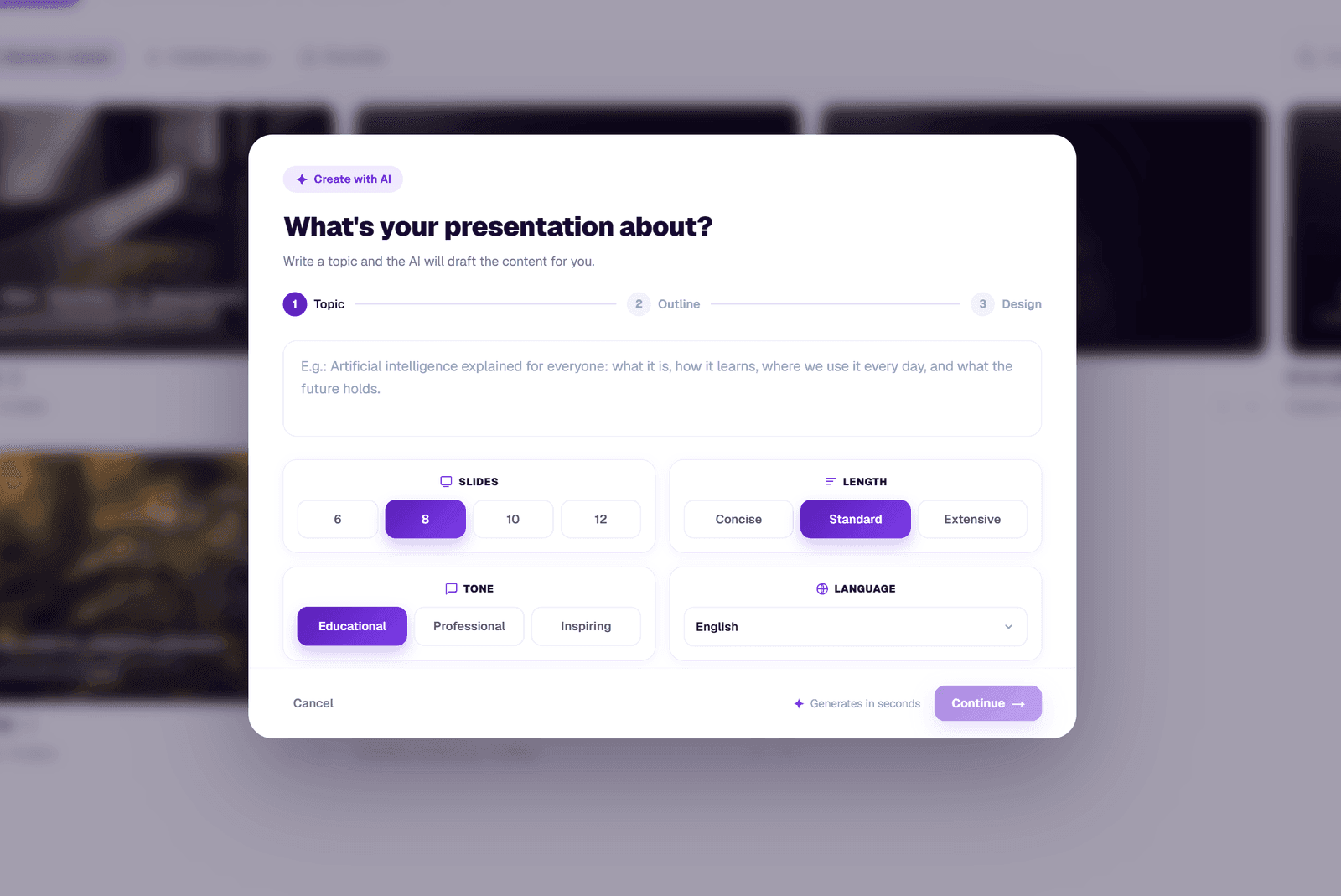
Pick the subject and level, write a topic or upload a PDF, and tell the AI how many slides you need.
AI Presentation Generator for Teachers
Turn a topic, a set of notes or a PDF into a visual, editable slide deck. The AI presentation generator built for teachers, with the structure, tone and visual style you can adjust before class.
Free plan · No card needed · Works in English, Spanish and 30+ languages
AI-generated outputs are drafts and should be reviewed by teachers before classroom use.
Built for the way teachers actually plan
An AI slide generator with the inputs that matter to teachers: subject, level, tone, number of slides, syllabus reference and visual style.
Type a topic, paste notes or upload a PDF with the syllabus. The AI builds a clear slide structure ready to teach.
Get a structured, well-paced deck with title, key concepts, examples and recap, ready to present.
Tweak the text, change the tone or rewrite a single bullet without losing the rest of the deck.
Download as PDF, share with students, or save it in your workspace to reuse next year.
Designed for teachers
Forget hours fighting blank slides. Describe what you want to teach and TeachAIFlow drafts a visual, editable presentation with a structure that fits real classroom rhythm: opening hook, key concepts, examples, recap and exit ticket. You stay in control of the message, the AI handles the heavy lifting.
How it works
A simple flow that gets you a presentation faster than starting from a blank slide.
Pick the subject and level, write a topic or upload a PDF, and tell the AI how many slides you need.
TeachAIFlow drafts a structured presentation with text and speaker notes. Choose a visual style and the output language.
Refine any slide inside the editor, adjust the visual style and download a polished PDF ready for class.
Real output
Below is a real presentation generated inside the workspace, exactly as a teacher would receive it before editing.
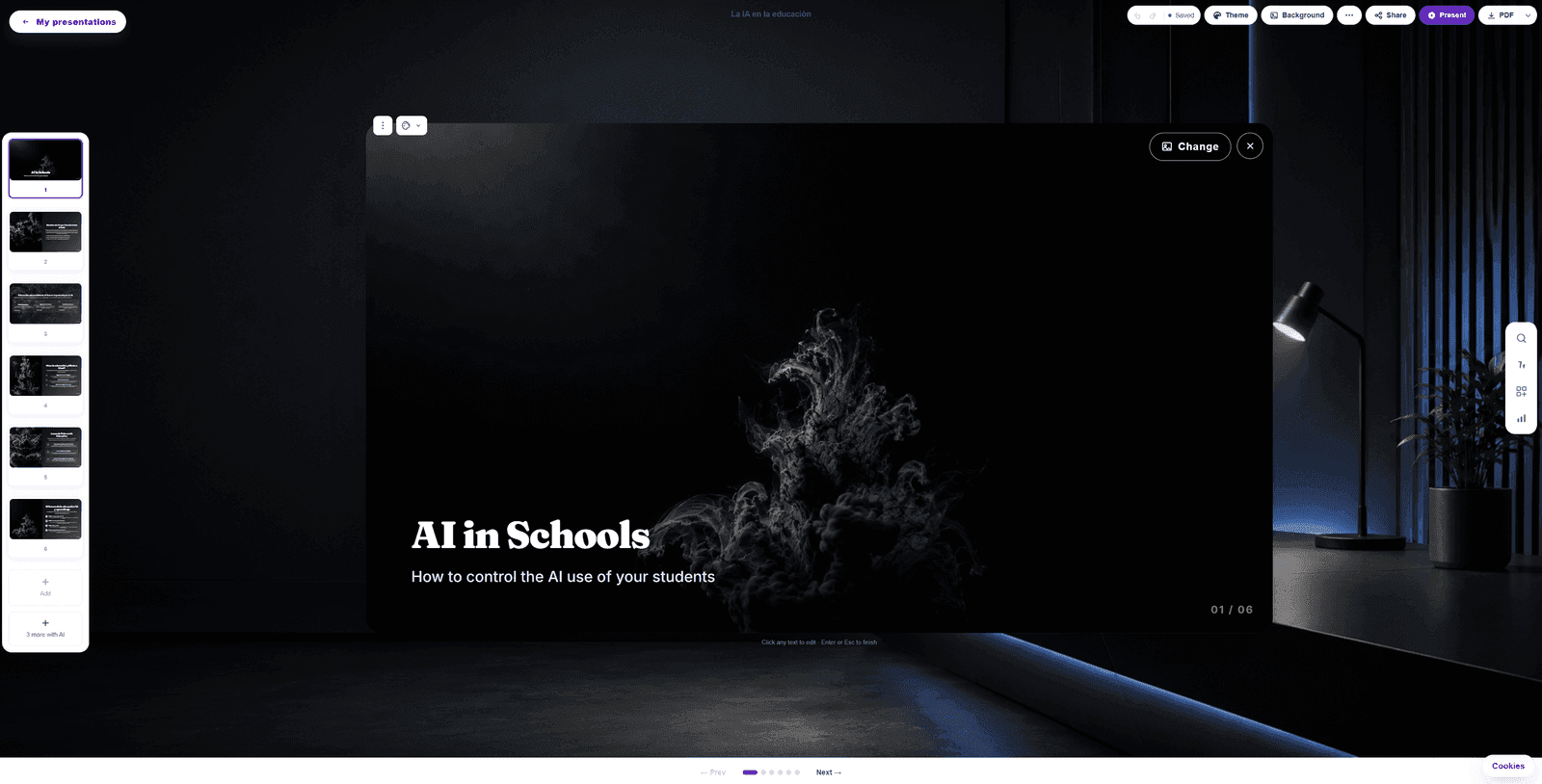
Generated in under a minute. Edit it, export it, or save it to your workspace library.
Use cases
Build slide decks for any topic, from grade 1 to grade 12, in your subject and language.
Generate slides in English, Spanish, French or any of 30+ languages, with adjustable difficulty.
Create reusable visual templates the whole department can adapt for each cohort.
Walk into any classroom with a ready-to-teach deck prepared in under five minutes.
Frequently asked
Everything you might want to know about the AI presentation generator before opening it.
Yes. The free plan includes monthly AI usage you can use across presentations, exams, lesson plans and the rest of the workspace. No credit card needed to start.
Yes. Upload a PDF with the syllabus or any reference document, and the generator uses it as context for the slides, keeping your terminology and structure.
Yes. The AI adapts depth, vocabulary and visual style to any subject and any grade: from primary school science to high school literature and university-level content.
Most decks are ready in under a minute. The exact time depends on the number of slides and the depth you ask for.
Yes. Every presentation can be exported as a polished PDF, ready to share with students or open in any presentation app.
The slides can be generated in 30+ languages, including English, Spanish, French, German, Italian, Portuguese, Catalan, Galician, Basque and more.
Yes. Every slide is fully editable: text, layout, speaker notes and visual style. You can also regenerate individual slides if needed.
Ready to try?
Free plan with monthly usage. No credit card. Works in any subject and any language.